
An AI agent is an autonomous software system that set up once and learns by itself. It can perceive its environment, make decisions, and take actions to achieve specific goals. I have been building a personal AI agent that automates some of my important tasks with zero intervention. All it needs is very precise prompts to perform tasks independently, often mimicking human-like reasoning and decision-making processes. With the concise prompts it can understand my requirements, do research and take action accordingly at fixed intervals.
AI agents can generate customized text for specific purposes, such as emails, reports, or marketing materials, freeing up your time while the agent does its works : just like an actual clerical personal assistant. So as part of this week’s experiment on Zapier and in the spirits of upcoming Valentine’s Day : I made an AI agent to look up funny love quotes on internet and send it to my husband on a weekly basis. That’s pretty cool in itself. The possibilities are endless and the goal is to automate lives and free up our time.
But first, What’s Zapier?
Zapier is an automation tool that connects different apps and services to streamline workflows and automate repetitive tasks without requiring coding skills. It has auto tasks and blocks created such that you can make a combination of workflows to get to your objective. Founded in 2011, Zapier supports integrations with over 7,000 apps, including popular platforms like Slack, Google Sheets, and Gmail, which gives you flexibility to plug it in your business or personal ecosystem within minutes.
Zapier recently introduced Zapier Agents, an AI-powered feature that allows users to create custom AI assistants to automate tasks across Zapier’s suite of integrated softwares.
Setting Up an Agent in Zapier
Let me walk you through step by step on how to set up your first simple AI Agent with no code.
Log In to Zapier Agent url. Sign up with your email or login if you already have an account. At this point, if you have a personal account, then take the basic plan. It will give you free 140 tasks/activities for a months. The agent that we will set up will take 3 tasks/activities with one run.
Click on “Create my first agent” or “+ New agent” if you already have agents.

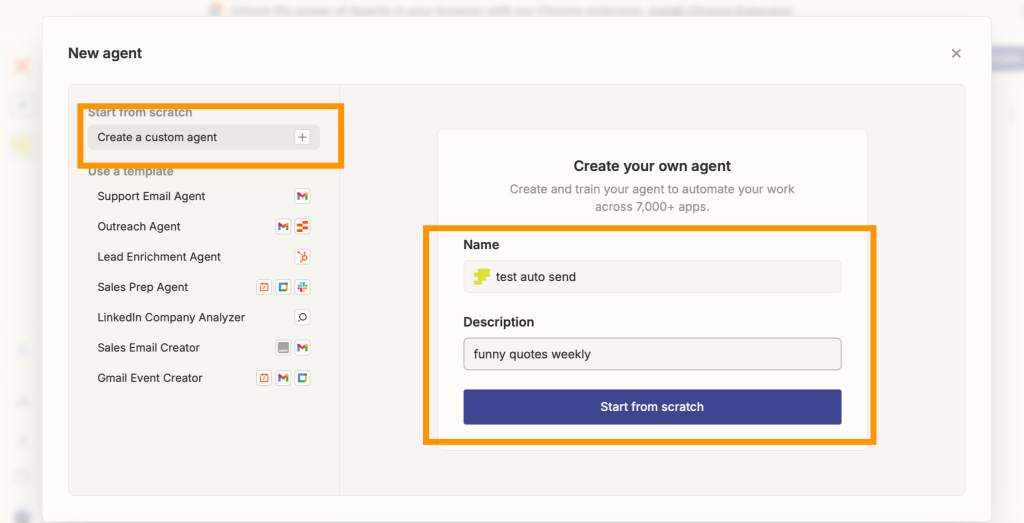
Choose to start from scratch or select a pre-made template. Name your agent and provide a description. Let’s start from scratch here.
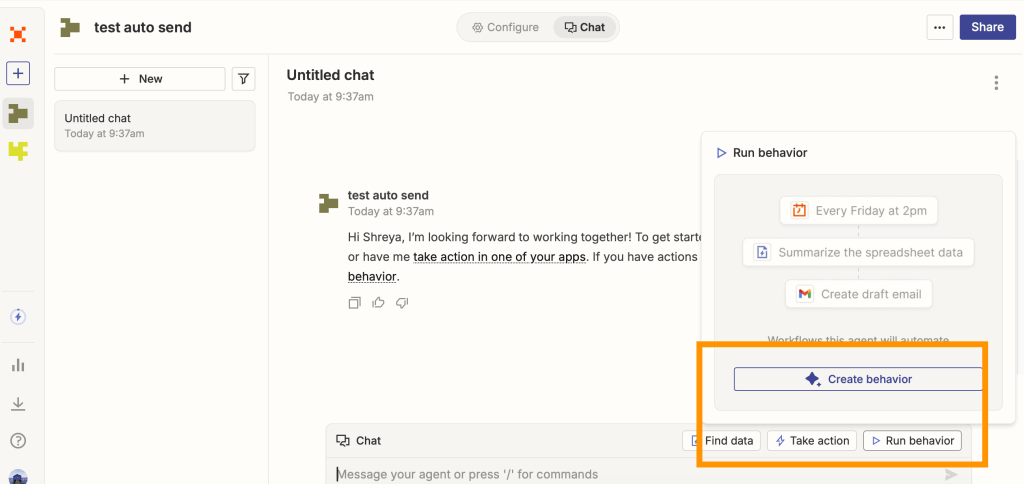
Set up the agent’s behavior by clicking the “Run” tab and “+ Create behavior”.
Define the trigger (when the agent should act) :
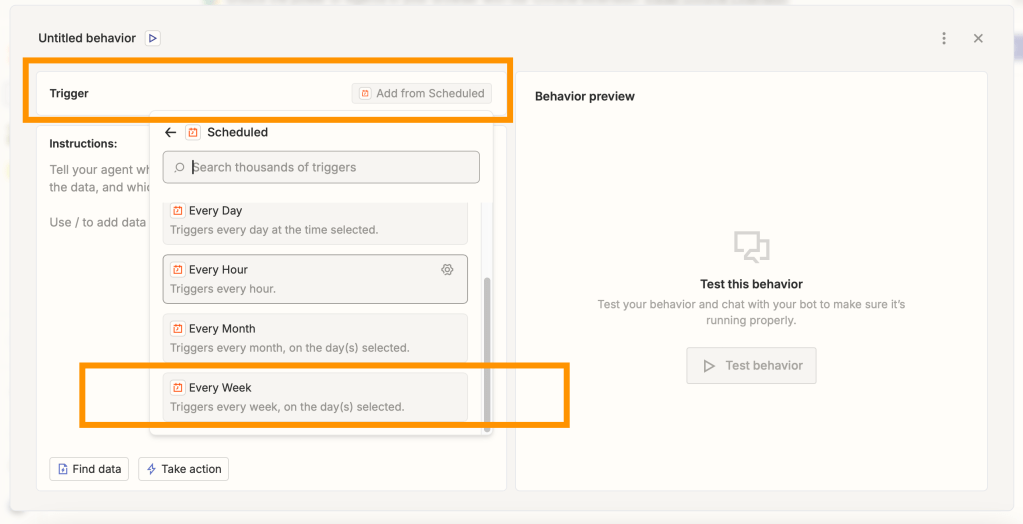
Goal is to automate, so select on a set frequency and give the time. The time is in UTC so you will need to do some calculations to convert to your time zone.
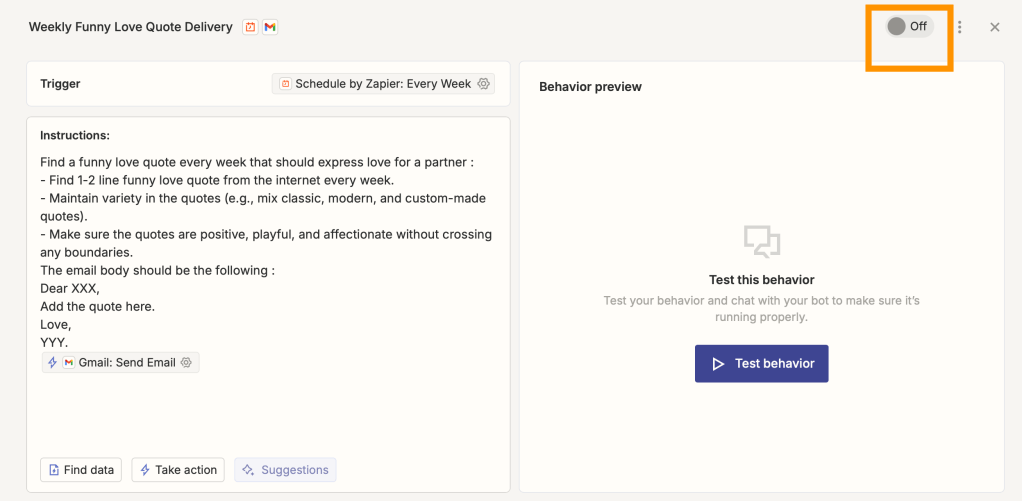
Define the precise instructions (what the agent should do). Very important : the prompt has to be with utmost precision. I told the bot how long the quote should be along with the tone of the message I send.
I used this prompt as instructions to the bot :
Find a funny love quote every week that should express love for a partner :
– Find 1-2 line funny love quote from the internet every week.
– Maintain variety in the quotes (e.g., mix classic, modern, and custom-made quotes).
– Make sure the quotes are positive, playful, and affectionate without crossing any boundaries.
The email body should be the following :
Dear XXX,
Add the quote here.
Love,
YYY.
Add action needed after that – task to send the email once compiled.
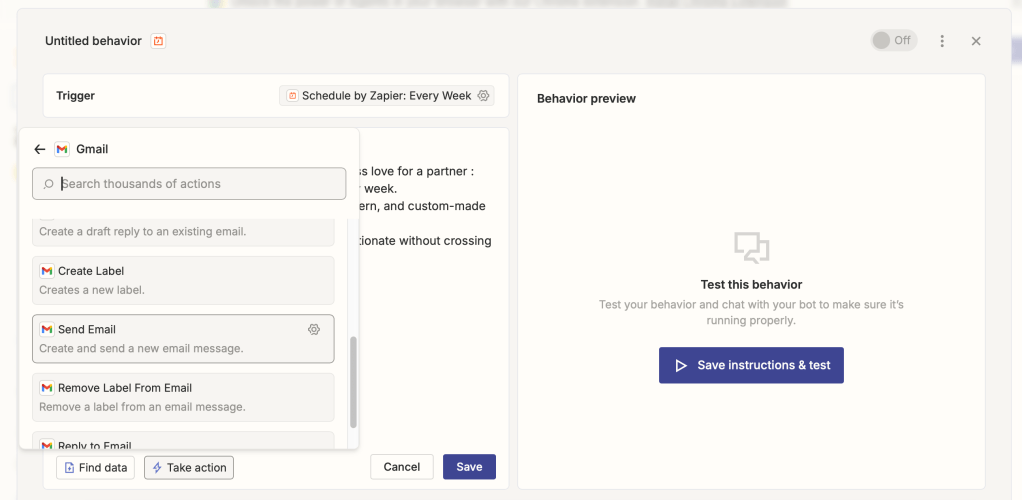
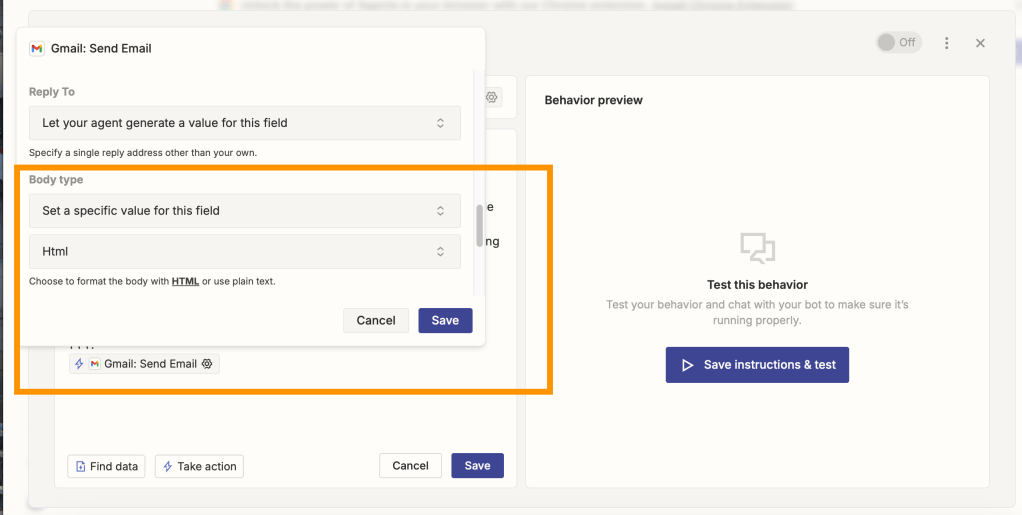
Set up all of the configurations for the Send Gmail task. In body type, do select “HTML”, and hit Save. Test the behavior.
Once you are all set, don’t forget to enable your new personal AI assistant here :
The possibilities are endless for business marketing or reporting emails. It can even integrate with multiple documents. Source data from your company documents or integrated softwares and then process and send it to your clients/mailing list. It is similar to Microsoft Power Automate, where you can just add on tasks in a workflow, scheduled task run and then send email or save as a document or excel spreadsheet.
Have fun coding your next agent and automating your tasks. Learning about AI can be overwhelming, but it’s definitely a journey. Specially for me, with a non-coding background. Have you tried setting up any experimental AI agent? Let me know in the comments below.





 A Beautiful World!
2 Comments Add yours